Digital SMARTbooks (eBooks)
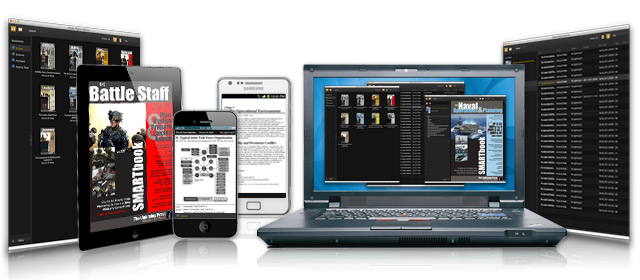
More ways to read the full SMARTbook lineup anytime, anywhere.
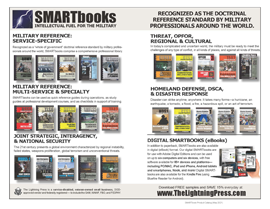
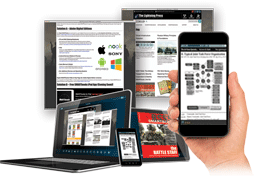
In addition to paperback, SMARTbooks are also available in digital (eBook) format. Our digital SMARTbooks are for use with Adobe Digital Editions and can be used on to up to six computers and six devices (authorized to a user’s Adobe ID), with free software available for 85+ devices and platforms—including PC/MAC, iPad and iPhone, Nook, and more!
Adobe Digital Editions
Our Digital SMARTbooks are authorized to a user’s Adobe ID and can be used on to up to six computers and devices via Adobe Digital Editions software. Adobe Digital Editions 4.5 allows seamless AirSync fulfillment of books across devices: With this new feature, when a user fulfills a book on one device, the book will be automatically downloaded to all the other devices that belong to this user (activated using the same user ID):
|
Digital Download and Installation InstructionsUsing digital SMARTbooks in Adobe Digital Editions is quite simple — just download the free Adobe Digital Editions software, create an Adobe login, and then click on the link on our website to download/install your eBook. Adobe Digital Editions 4.5 allows seamless fulfillment of books across devices — with this feature, when a user fulfills a book on one device, the book will be automatically downloaded via AirSync to all the other devices (PC & Mac, iPad & iPhone, Nook, and more) that belong to that user activated using the same user ID. (Our digital SMARTbooks are authorized to a user’s Adobe ID and can be transferred to up to six devices and six computers via Adobe Digital Editions AirSync.) |
|
 |
1. InstallInstall free Adobe Digital Editions on your computer/device (and login with your Adobe ID, below). The link for the Adobe Digital Editions software is: https://www.adobe.com/solutions/ebook/digital-editions/download.html (Also available in the iTunes App Store and Google Play store.) |
 |
2. Sign-In/AuthorizeOnce you install Adobe Digital Editions, select “Authorize Computer/Device” under the settings/help menu and sign-in with your free Adobe ID (if you don’t already have one, you can create one). If asked to chose a Vendor, select “Adobe ID” from the drop-down list. |
 |
3. Download eBookReturn to our website, under the Account icon in the top right corner select Downloads to see your list of purchased eBooks. Click on the green DOWNLOAD EBOOK button to download the “URLink.acsm” file. Once the URLink.acsm file has downloaded, click or open it to connect to the Adobe server to retrieve/fulfill your eBook. Your digital SMARTbook (eBook) will save to your computer and open automatically in Adobe Digital Editions. (You only download the eBook from our site once, after that subsequent eBook copies are delivered to a user’s additional devices via “AirSync”, below.) |
Digital SMARTbook Features
|
|
 |
AirSync to Additional Devices (up to six devices and six computers)Adobe Digital Editions 4.5 allows seamless fulfillment of books across devices. When a user fulfills a book on one device, the book will be automatically downloaded via AirSync to all the other devices that belong to that user (activated using the same user ID). Just install Adobe Digital Editions software on your new/additional devices (PC & Mac, iPad & iPhone, Nook, & more) and sign-in with the same Adobe ID. See the full list of 85+ devices and applications. |
 |
Digital SMARTbooks are Fully InteractiveFind your information quickly and intuitively! In addition to pan and zoom, our table of contents, A-B-C, 1-2-3 charts, and index are fully linked and interactive. |
 |
Print, Highlight, Note, BookmarkAt a course or on TDY and need a copy of a particular chart or diagram? Our digital SMARTbooks allow you to print and copy up to 20 pages for personal use. Users can also highlight text, create their own page notes, and add bookmarks. Learn more on Adobe’s site at: https://helpx.adobe.com/digital-editions/kb/notes-highlights-underlining-digital-editions.html |
 |
Keyword SearchUse the “search” feature within Adobe Digital Editions to lookup keywords. Select a term you are looking for, then jump directly to that page. |
Help & FAQs
Adobe Digital Editions includes a “Getting Started” guide. More information on how to use the application is provided in the Getting Started eBook included in the application download. After you download, install and run the application, the Getting Started eBook will be listed. Additionally, the complete Adobe Digital Editions help file can be found at: helpx.adobe.com/digital-editions.html
The full Adobe® Digital Editions help page and FAQs, to include shortcut keys and known issues, can be found on the Adobe.com website at the Digital Editions help center: http://www.adobe.com/products/digitaleditions/help/
Having issues or problems? Visit our Digital FAQ and Help page.